Showing posts with label Fun. Show all posts

Friday, July 31, 2009

This is what happens when you develop Orkut and Facebook Applications Simultaneously

The thing


Need I explain more?

Just in case, its a dialog to add the application profile view into your Facebook profile, within Orkut.

Technical Details
Its just the Session variables screwing up, everything is fine. Although I could not resist putting up a screen shot of it. Are you an application developer? Let me know...

Monday, July 30, 2007

Laptop to TV using S-Video Out Port

This post is applicable only to those laptops that are equipped with a S Video Out port (like Compaq Presario V3000 Series). The S-Video Port looks like


S Video port can be used to connect to your TV using a S-Video to RCA Cable. The S Video end of the cable looks like this


You can buy the S-Video to RCA cable, but building it is pretty much simple and costs negligible.

All you have to do is,
connect the Pin 1 and Pin 2 of the connector in S-Video to Ground of RCA
and short the Pin 3 and Pin 4 of S-Video to the Main Pin of RCA.
Some sites recommend using a 470pF Capacitor in shorting the Pin4 to RCA, but i really don't find much of a different when skipping the capacitor. Thus its just a DIY (Do-It-Yourself) project to make your laptop a DVD/CD player or make your TV a secondary monitor screen.

Compaq Presario V3000 Settings
In order to use the S-Video port the NVidia GeForce Go Graphics Drivers must be installed and working.

Don't have an S-Video Port ?
See other options of connecting a laptop to your television

Saturday, June 30, 2007

Apple I-Phone Snaps


Menu


Dimensions


Maps


Inbox


Internet


Media Player

Loose (iTunes Version)


Keyboard


Voicemail


Stocks


© Apple Corp.

Tuesday, June 19, 2007

Yahoo! Built in chat with mail

Yahoo!
Catches up with Google and introduces the same Inbox + Messenger bundle. On the new yahoo mail beta now you can chat to your friends too.


At first look yea it rocks. It has almost all the formatting and smilies used by messenger. (Of course the Gizmos are missing).

But still gmail is ahead because, gmail allows you to be signed in on more than one place. For eg: mail and google talk. Yahoo does not allow that when you sign in inside the mail, you get disconnected on the messenger. I donno about you but hmmm I dint like that.

Secondly the gMail client is neatly presented on top of your mails, So you can go on reading the mails while your slow friend is finding the keys on keyboard ;)
Third, I hate that advertisement on the right edge! And most importantly it refreshes too often making it a pain! Of course I know free always implies filled with ads , but I guess this is a little too much.

What do you think?

Thursday, June 14, 2007

Making Google talk Chat Themes

Intro

Making of a google talk chat theme is similar to making a 4 page HTML website with a CSS file. The following assumes you are using windows XP. Please unhide hidden files and folders.

The default chat themes for google talk are located in

X:\Documents and Settings\[Profile Name; Eg: Administrator.000]\Local Settings\Application Data\Google\Google Talk\themes\system\chat

where X: is the drive windows is installed.
[Profile Name] is your user name on windows.

Custom skins that we create must come under this folder:
X:\Documents and Settings\[Profile Name; Eg: Administrator.000]\Local Settings\Application Data\Google\Google Talk\themes\user\chat


Let us start creating a new skin name "digitalpbk"
Make a folder inside the above folder named "digitalpbk"

X:\Documents and Settings\[Profile Name; Eg: Administrator.000]\Local Settings\Application Data\Google\Google Talk\themes\user\chat\digitalpbk


Make a folder inside it named Content
Make one more folder inside Content named Resources

So the total path would look something like :
X:\Documents and Settings\[Profile Name; Eg: Administrator.000]\Local Settings\Application Data\Google\Google Talk\themes\user\chat\digitalpbk\Content\Resources


Make empty files and directories so that the complete Resources directory has :

Incoming \ Content.html
Incoming \ NextContent.html
Outgoing \ Content.html
Outgoing \ NextContent.html
main.css
status.html
nextstatus.html


File Descriptions

  • Incoming \ Content.html : When you chat to someone, their first reply will use the format specified in this file.

  • Incoming \ Content.html : When you chat to someone, their subsequent replies will use the format specified in this file.

  • Outgoing \ Content.html : When you chat to someone, your first message will use the format specified in this file.

  • Outgoing \ Content.html : When you chat to someone, your subsequent messages will use the format specified in this file.

  • main.css
  • : This is the main CSS sheet in which you specify the class of styles as you do for HTML.
  • Status.html : When you chat to someone, their status will use the format specified in this file.

  • NextStatus.html : When you chat to someone, their changes in status will use the format specified in this file.


Sample


This is a sample of the Chat skin i made. You can Download the Resources zip file. Contains the chat skin.

A lil documentation :)

main.css

Main.CSS is the main cascading style sheet, let us start styling with it.

BODY { color: #fff; background-color: #000; margin:4px; }
BODY a {text-decoration:none}
BODY a:link { color: #ccf; }
BODY a:hover { color: #ccf; text-decoration:underline;}
BODY a:active { color: #cfc; }
BODY a:visited { color: #ccf; }

DIV.send1st
{
background:url('bg.jpg');color:#fff;
}

DIV.recv1st
{
background:url('bg2.jpg');color:#fff;
}


send1st is the sending message format. Just an image simple.
Same for recv1st.

Enjoy making your skins and do let me know of yours
Feel free to comment....

Saturday, May 26, 2007

Custom extenstion for a Server Script

Intro
PHP files have a ".PHP" extension and is by default the extension used to run php scripts. Thats ordinary. Now it would be cool if we could name another extension (say .do or .html) for a PHP script and get the same output. This is precisely what the following is about.

In order to map a particular extension to a particular application, apache uses handlers. Basically you can define an extension and add the corresponding handler. This can be done in 2 ways :

CPanel / Apache Handlers
Add extension html and handler application/x-httpd-php to make a new handler :

html application/x-httpd-php

This makes any ordinary html file to be handled and processed by the PHP engine before it is output.

.htaccess
For those who dont have cPanel access, the .htaccess file can be edited.
Add
AddHandler application/x-httpd-php html

this line to your .htaccess file. This makes the same effect as done in the previous method.

Tip
  • Adding html extension as php can be cool, because a statically appearing page is actually dynamic. But the disadvantage of using this is that, all HTML files will be passed through the PHP engine and parsed for the PHP codes. This puts unnecessary pressure on the servers and makes it slow.
  • It is better to choose someother extension, if there is a lot of static content on your website. If most of your pages are in PHP, this effect is cool.
  • If for some reason your .htaccess gets deleted or restored to default, All the PHP codes will be echoed to the users browser and all the source would be revealed!. So beware when using this.

Thursday, May 10, 2007

ANSI Escape Sequences

Intro
ANSI Escape sequences are used to perform special operations on the terminal, such as changing the output color, making it bold, printing at a specified coordinate etc.

The sequences

Wherever you see '#', that should be replaced by the appropriate number.

ESC code sequence Function
------------------- ---------------------------
Cursor Controls:
ESC[#;#H or ESC[#;#f Moves cusor to line #, column #
ESC[#A Moves cursor up # lines
ESC[#B Moves cursor down # lines
ESC[#C Moves cursor forward # spaces
ESC[#D Moves cursor back # spaces
ESC[#;#R Reports current cursor line & column
ESC[s Saves cursor position for recall later
ESC[u Return to saved cursor position

Erase Functions:
ESC[2J Clear screen and home cursor
ESC[K Clear to end of line

Set Graphics Rendition:
ESC[#;#;....;#m Set display attributes where # is
00 for normal display (or just 0)
01 for bold on (or just 1)
02 faint (or just 2)
03 standout (or just 3)
04 underline (or just 4)
05 blink on (or just 5)
07 reverse video on (or just 7)
08 nondisplayed (invisible) (or just 8)
22 normal
23 no-standout
24 no-underline
25 no-blink
27 no-reverse
30 black foreground
31 red foreground
32 green foreground
33 yellow foreground
34 blue foreground
35 magenta foreground
36 cyan foreground
37 white foreground
39 default foreground
40 black background
41 red background
42 green background
43 yellow background
44 blue background
45 magenta background
46 cyan background
47 white background
49 default background

ESC[=#;7h or Put screen in indicated mode where # is
ESC[=h or 0 for 40 x 25 black & white
ESC[=0h or 1 for 40 x 25 color
ESC[?7h 2 for 80 x 25 b&w
3 for 80 x 25 color
4 for 320 x 200 color graphics
5 for 320 x 200 b & w graphics
6 for 640 x 200 b & w graphics
7 to wrap at end of line

ESC[=#;7l or ESC[=l or Resets mode # set with above command
ESC[=0l or ESC[?7l

Keyboard Reassignments:

ESC[#;#;...p Keyboard reassignment. The first ASCII
or ESC["string"p code defines which code is to be
or ESC[#;"string";#; changed. The remaining codes define
#;"string";#p what it is to be changed to.

E.g. Reassign the Q and q keys to the A and a keys (and vice versa).

ESC [65;81p A becomes Q
ESC [97;113p a becomes q
ESC [81;65p Q becomes A
ESC [113;97p q becomes a

E.g. Reassign the F10 key to a DIR command.

ESC [0;68;"dir";13p The 0;68 is the extended ASCII code
for the F10 key and 13 is the ASCII
code for a carriage return.

Other function key codes F1=59,F2=60,F3=61,F4=62,F5=63
F6=64,F7=65,F8=66,F9=67,F10=68


Source : The Internet

ESC
The Escape sequence on Linux is \e. Replace the ESC by \e on linux to make it work.
For example,
\e[31;1m
Prints this in RED BOLD.

Have more info? Please do comment...

Friday, May 4, 2007

Windows Folder Extensions

Intro

Well you all know about file extensions and what they mean etc... But have you heard about a Folder Extension ? I suppose not. Windows has some set of pretty extraordinary extensions for folders, to mark them as something different. Read more to get what I mean...


List of extensions


  • .{21EC2020-3AEA-1069-A2DD-08002B30309D} Control Panel

  • .{9E56BE61-C50F-11CF-9A2C-00A0C90A90CE} Desktop

  • .{645FF040-5081-101B-9F08-00AA002F954E} Recycle Bin

  • .{20D04FE0-3AEA-1069-A2D8-08002B30309D} My Computer

  • .{208D2C60-3AEA-1069-A2D7-08002B30309D} Network

  • .{2227A280-3AEA-1069-A2DE-08002B30309D} Printer

  • .{25336920-03F9-11CF-8FD0-00AA00686F13} HTML Document

  • .{0003000D-0000-0000-C000-000000000046} Wave File

  • .{00022602-0000-0000-C000-000000000046} Video Clip

  • .{00021401-0000-0000-C000-000000000046} Makes it a file


What to do?

Make a New folder and name it something. Now when you rename add one of the following extension to it. (ie Append the .{XXXXXX-XXXX-XXXX-XXXX-XXXXXXXXXX} to the end of the folder name just as adding an extension to a file) and see the changes.

** Try these on a blank folder or a folder that contains nothing important!

Tested on Windows XP, you are welcome to comment about success or failure on other Windows OS's .... This method can be used to hide/protect important folders.. ;)

Sunday, April 22, 2007

Chatting with Self on google talk

How did I do it ?


Have you done this ?
If yes, comment on how you did that ...
If no, challenge .... try doing it...

Have fun :)

Saturday, April 7, 2007

Making Sony Ericsson Mobile Themes

Intro

Sony Ericsson mobile themes (.thm files) is simply a collection of a lot of images and an xml file that specifies the colour codes. Take a theme file rename it to .tar (use archive manager on linux or any standard compresssing utility) and unzip it using any standard unzipping utility. Just play with the files and images and you can make your self a new theme. Be it for W550i, W800i, W880i, K310i, K750i, K700i, etc ... Re-zip the contents and rename it to .thm file and you have a new theme. Copy it to the themes folder on your mobile. Set the theme !


Theme files for Sony Ericsson phones, except for the Symbian™/UIQ™ phones (P900, P910, P990, M600
and W950 series), are TAR archives with the file extension .thm. A theme file contains at least an XML file,
in which colour settings for graphical elements and optionally image file names and audio file names are
defined. If the XML file specifies image or audio file names, the specified files are also included in the
archive. To extract the individual files from THM theme files most standard archiving applications on the
market can be used.
Sony Ericsson Symbian/UIQ phone theme files are ZIP packages with file extension .utz. A package contains
an XML file specifying colour settings, images and sounds used in the theme, together with a
number of image and audio files.


Simple and Short :)


Sony Ericsson Themes Creator
If you cannot take the pain of doing the above steps, simple download the sony ericsson themes creator from here

Monday, March 26, 2007

How did I Appear Offline in Gmail

A few minutes ago one of my friends told me I was appearing offline in gmail !!!
Here is a screenshot of this


How did it happen ?

Someone please explain ........

Friday, March 16, 2007

The MP3 ID3 Tag

Intro: ID3V2?
ID3 tags are blocks of data in mp3 that stores information about the song. It can be used to store anything from album names, performing artists, movie/album, genre, to jpg pictures containing the CD covers. ID3V2 is the second version of the ID3 tag on mp3. The following is about the ID3V2 structure.

ID3 Tags can be found anywhere in the mp3 file and there is no typical standard for its location. So how do we find it ?

ID3 Tags start with the 3 letters ID3 (what else?). All data in the ID3 Tags are BigEndian

ID3 Tag General Structure (ID3V2.4)
ID3 Tags can be imagines as a book, which contains many pages (called frames). Like any book, ID3 tag has a preface/intro about the tags that follows as a 10 byte header.

Header (10 bytes)
Extended Header (Variable) (optional)
Frames (Variable)
Padding (Variable) (optional)
Footer (10 bytes) (optional)

ID3 Header
ID3 Header is 10 bytes long.

ID:
Byte1 : I 0x49
Byte2 : D 0x44
Byte3 : 3 0x33

Byte4 : Major Version , Typically 2
Byte5 : Minor Version , (Latest 4)

Byte6 : Flag Byte [ABCD 0000]

Size:
Byte7 : Length of the ID3 Frames.
Byte8 :
Byte9 :
Byte10: 4 x 8 = 32 Bit Unsigned Long Integer.

The Equivalent C structure for the ID3 Tag Header is given below :

struct id3v2header
{
char id[3];
unsigned char majVer;
unsigned char minVer;
unsigned char flags;
unsigned long size;
};


The 8 bits on the flag have the following meaning

MSB
Bit8 : If SET indicates use of unsynchronization
Bit7 : If SET indicates presence of Extended Header
Bit6 : Experimental Bit
Bit5 : If SET indicates presence of Footer.
Bit4-Bit1 : Must be 0.
LSB

ID3 Footer Optional
ID3 is footer is same to that of the header except that the first 3 bytes contain 3DI instead of ID3.

ID3 Frames
Frames are like the pages of the book where the actual data is present.
As usually a frame starts with the Frame Header that describes the frame contents, like what the data following it is about.
Frame Header is 10 bytes long.

Frame ID : (4 characters long)
Byte1 : 0xXX
Byte2 : 0xXX
Byte3 : 0xXX
Byte4 : 0xXX

Size: (32 bit SynchSafe Integer)
Byte5 : MSB
Byte6 :
Byte7 :
Byte8 : LSB

Flags:
Byte9 :
Byte10:

The Equivalent C structure for the Frame Header is given below :

struct id3v2frameheader
{
char frameid[4];
unsigned long size;
unsigned char flag1;
unsigned char flag2;
};


The Frame ID stands for a combination of characters A-Z , 0-9 to make an abbreviation for the contents :
Here are some of the common Frame ID's :

AENC Audio encryption
APIC Attached picture
ASPI Audio seek point index
COMM Comments
COMR Commercial frame
ENCR Encryption method registration
EQU2 Equalisation
ETCO Event timing codes
GEOB General encapsulated object
GRID Group identification registration
LINK Linked information
MCDI Music CD identifier
MLLT MPEG location lookup table
OWNE Ownership frame
PRIV Private frame
PCNT Play counter
POPM Popularimeter
POSS Position synchronisation frame
RBUF Recommended buffer size
RVA2 Relative volume adjustment (2)
RVRB Reverb
SEEK Seek frame
SIGN Signature frame
SYLT Synchronised lyric/text
SYTC Synchronised tempo codes
TALB Album/Movie/Show title
TBPM BPM (beats per minute)
TCOM Composer
TCON Content type
TCOP Copyright message
TDEN Encoding time
TDLY Playlist delay
TDOR Original release time
TDRC Recording time
TDRL Release time
TDTG Tagging time
TENC Encoded by
TEXT Lyricist/Text writer
TFLT File type
TIPL Involved people list
TIT1 Content group description
TIT2 Title/songname/content description
TIT3 Subtitle/Description refinement
TKEY Initial key
TLAN Language(s)
TLEN Length
TMCL Musician credits list
TMED Media type
TMOO Mood
TOAL Original album/movie/show title
TOFN Original filename
TOLY Original lyricist(s)/text writer(s)
TOPE Original artist(s)/performer(s)
TOWN File owner/licensee
TPE1 Lead performer(s)/Soloist(s)
TPE2 Band/orchestra/accompaniment
TPE3 Conductor/performer refinement
TPE4 Interpreted, remixed, or otherwise modified by
TPOS Part of a set
TPRO Produced notice
TPUB Publisher
TRCK Track number/Position in set
TRSN Internet radio station name
TRSO Internet radio station owner
TSOA Album sort order
TSOP Performer sort order
TSOT Title sort order
TSRC ISRC (international standard recording code)
TSSE Software/Hardware and settings used for encoding
TSST Set subtitle
TXXX User defined text information frame

UFID Unique file identifier
USER Terms of use
USLT Unsynchronised lyric/text transcription

WCOM Commercial information
WCOP Copyright/Legal information
WOAF Official audio file webpage
WOAR Official artist/performer webpage
WOAS Official audio source webpage
WORS Official Internet radio station homepage
WPAY Payment
WPUB Publishers official webpage
WXXX User defined URL link frame

Reference from id3v2.4.0-frames.txt from id3.org


Frame Flags
Flag1 : Frame Status Flags
MSB:
Bit8 : Not Used Must be 0
Bit7 : If SET the Frame is discarded when a change in the TAG occurs.
Bit6 : If SET the Frame is discarded when the file is changed.
Bit5 : If SET indicates the tag is read-only and changing the contents may break some code.
Bit4 : Not Used Must be 0
Bit3 : Not Used Must be 0
Bit2 : Not Used Must be 0
Bit1 : Not Used Must be 0
LSB

Flag2 : Frame Format Flags
MSB
Bit8 : Not Used Must be 0
Bit7 : If SET indicates the presence of grouping information.
Bit6 : Not Used Must be 0
Bit5 : Not Used Must be 0
Bit4 : If SET the frame is compressed using zlib deflate method.
Bit3 : If SET the frame is encrypted, with descriptions in ENCR Frame.
Bit2 : If SET Frame has been unsynchronized.
Bit1 : If SET a data length indiciator is present.
LSB

That's All Folks
For more information visit,
» http://www.id3.org

Thursday, January 18, 2007

WORM_RONTOKBRO.Y versus me

This is the log of the war against the worm.

How did the enemy get it ?
It came along a couple of folders which was copied from a pen drive. It had the same folder name and looked exactly like a windows folder. In a hurry double clicked it, and the war began...

Battle 1: End Task
I immediately realized it was a virus because it opened the My Documents folder, which was unusual. Then soon I pressed Ctrl + Alt + Del to end task the program. But the battle was won by the virus, it restarted the computer ! But I got the exe name "eksplorasi.exe".

Battle 2: Regedit
In an effort to save my system, after rebooting tried to run the "regedit" registry editor where most viruses register in the

HKEY_LOCAL_MACHINE\Software\Microsoft\Windows\CurrentVersion\Run

to start when the computer starts. But I failed in the battle again. It has disabled the registery editor.

Battle 3:Safe mode
In the next battle, I rebooted the computer in safe mode (F8 before booting in the OS choice menu and selecting Safe mode). Failed again, virus is as active in safe mode as in normal mode.

Battle 4:Rebooted into Win98
In the next battle booted into windows 98. Searched the entire windows drive for the file "eksplorasi.exe" found 1 in %Windows Directory%\. Deleted it! Next I searched for the entire windows directory for exe's that had the folder as the icon. Amazed by the number of copies it has already produced. Almost another 12-14 copies in various folders. Deleted them all .. Battle won! The enemies where shot down but the consequences remain...

Battle 5:Looked for allies from Google

Found some information.
Searched for eksplorasi.exe manual removal


Google


Battle 6: Capturing back the regedit
Capturing back the regedit was exciting. As hinted by an ally, the regedit was disabled by the following registry entry.
HKEY_CURRENT_USER\Software\Microsoft\
Windows\CurrentVersion\Policies\System
DisableRegistryTools = "dword:00000001"

By their advice I tried making a reg file that removed this entry. But I failed that battle too.

Battle 7: My own registry editor
Made up a quick registry editor that replaced the registry values to enable the registry again. And it was a success. Captured back the registry from the enemies.
Again from the advice of my ally, all deformations in the registry where restored to the previous state.

Download my registry enabler.

War won
Hurray the war was won by me.
Won a battle? let me know.

Information Allies Missed
+ The virus was present in the System_restore files.
+ Making reg files did not work as registry was disabled.
+ Group Policy gpedit.msc is disabled.

Monday, January 15, 2007

Firefox Browser within Browser

Browser within Browser ?


This effect is only for Mozilla Firefox. Paste
chrome://browser/content/browser.xul
into your address bar and press Enter.

What? How?
All interfaces on firefox are made on XUL's. The browser window you see is browser.xul, accessing that simply displays the browser window again as the content.


Quoted from mozilla.org

XUL is an XML grammar that provides user interface widgets like buttons, menus, toolbars, trees etc. User actions are bound to functionality using JavaScript.

To extend the browser, we modify parts of the browser UI by adding or modifying widgets. We add widgets by inserting new XUL DOM elements into the browser window, and modify them by using script and attaching event handlers.


Have fun making tabs within tabs within tabs ......

Did not work?
Did not work ? What happened ? Lemme know ...

Feel free to leave a comment ...

Thursday, December 21, 2006

Special characters for orkut

Recently analyzing the traffic to my site I found that some wanted to know how to insert special characters in Orkut, yeah the fancy one's... So here is the info for them ...

Method 1
If you are on windows, take the character map from Start Menu > Programs > Accessories > System tools > Character Map.
You will find all the special characters you need in there.
Double clicking a character adds it to the text box below and when you have made your text in fancy just press Copy, and then paste wherever you want. Those having info about other OS please leave a comment ...

Method 2
You can enter special characters by :
Hold Down ALT
Type a number on the numeric keypad (1-255)
Release ALT
Now you will see a character appearing, enter different codes for different characters.
This was for windows, know about other OS? lemme know ...

Method 3
Just browse through profiles and you will find many characters, copy and paste. ;)

Here are some characters for you ...
Select | Copy | Paste


À Á Â Ã Ä Å Æ Ā Ă Ą à á â ã ä
å æ ā ă ą Ć ć Ĉ ĉ Ċ ċ Č č Ď ď
Đ đ Ē ē Ĕ ĕ Ė ė Ę ę Ě ě Ĝ ĝ Ğ
ğ Ġ ġ Ģ ģ Ĥ ĥ Ħ ħ Ĩ ĩ Ī ī Ĭ ĭ
Į į İ ı IJ ij Ĵ ĵ Ķ ķ ĸ Ĺ ĺ Ļ ļ
Ľ ľ Ŀ ŀ Ł ł Ń ń Ņ ņ Ň ň ʼn Ŋ ŋ
Ō ō Ŏ ŏ Ő ő Œ œ Ŕ ŕ Ŗ ŗ Ř ř Ś
ś Ŝ ŝ Ş ş Š š Ţ ţ Ť ť Ŧ ŧ Ũ ũ
Ū ū Ŭ ŭ Ů ů Ű ű Ų ų Ŵ ŵ Ŷ ŷ Ÿ
Ź ź Ż ż Ž ž ſ Ə ƒ Ơ ơ Ư ư Ǎ ǎ
Ǐ ǐ Ǒ ǒ Ǔ ǔ Ǖ ǖ Ǘ ǘ Ǚ ǚ Ǜ ǜ Ǻ
ǻ Ǽ ǽ Ǿ ǿ ə ˆ ˇ ˉ ˘ ˙ ˚ ˛ ˜ ˝
̀ ́ ̃ ̉ ̣ ; ΄ ΅ Ά · Έ Ή Ί Ό Ύ
Ώ ΐ Α Β Γ Δ Ε Ζ Η Θ Ι Κ Λ Μ Ν
Ξ Ο Π Ρ Σ Τ Υ Φ Χ Ψ Ω Ϊ Ϋ ά έ
ή ί ΰ α β γ δ ε ζ η θ ι κ λ μ
ν ξ ο π ρ ς σ τ υ φ χ ψ ω ϊ ϋ
ό ύ ώ Ё Ѓ Ђ Ѓ Є Ѕ І Þ ß
☺ ☻ ♥ ♪ ♫ ۞ © ™ ♦ ♣ ♠ • ◘ ○ ◙
♂ ♀ ♪ ☼ ► ◄ ↕ ‼ ¶ § ▬ ↨ ↑ ↓ →
← ∟ ↔ ▲ ▼ ô ö ò û ¢ ╗ ╝ ╜ ╚ ╥
╔ ╟ ╞ ┼ ─ ├ ┬ ┴ └ ┐ ╛ ▒ ░ » «
¡ ¼ ½ ¬ ⌐ ¿ ª ╩ ╦ ╠ ═ ╬ ╧ ╨ ╤
╥ ╙ ╘ ╒ ╓ ╫ ╪ ┘ ┌ █ ▄ ▌ ▐ ▀ α
ß Γ π Σ σ τ Φ Θ Ω δ ∞ φ ε ∩ ≡
± ≥ ≤ ⌠ ⌡ ÷ ≈ ° √ ⁿ ² ■


(Hope your browser renders the characters)

You can find more characters on the unicode character charts found at unicode, including one's with your local language.

Happy orkutting ...

Friday, December 15, 2006

about:config on firefox

This one is for those using Mozilla Firefox, if you are using take a new page or new tab and on the address bar type in about:config. You can do all the tweaking of Firefox from this page. about:config

You can edit the values by double clicking and changing the value on the dialog box or Right Click to Add/Modify etc.

Warning!
You can mess up firefox if you do editing. So always backup the values before tweaking.
Take File > Save Page.

Some examples:
browser.startup.homepage [String]
Sets your home page.

security.dialog_enable_delay [Integer] [in milliseconds]
Specifies the number of milliseconds till the button is enabled. You see this normally in download dialog boxes, in which the download button is enabled only sometime after. This is a security measure.

view_source.editor.external [True/False]
True enables another external editor to view the source.

view_source.editor.path [String]
External editor path.

browser.cache.memory.capacity [Integer]
This saves memory usage, by limiting the memory, and fixes memory leak.

Something you tweaked? Please leave a comment...

Related:

about:mozilla
about:plugins
about:credits
about:license
about:cache
about:buildconfig

Thursday, December 7, 2006

ASCII Art - Tiger


:::''':I":::"::::''....... ..'.... ...''.'.. . . .............':::::"IIIHHI"":'
::''.'':":"::::"::.. .... . .... ...''.''.. . ..'.'.''''.'':":::"IIIIIII":'.
:''...':::"::'::"'. .... . .. .. ..'::''.'.. . ...''':::::''':':"""IIHIII":'..
:''...::I"":'''""'. ... .'"I"":'':::''.... .. .'"":'...''':"::'''''''::"IIII"":''..
::'.'I#MMMHI:::::'. .:''"H:::"""":'.. ...:H##MM##M'..'':::'...'''..':"III":::'
':'"##M#MMMMH":::'. .'::""IHI'''.'':'. ..IMIIHMMIH##...:::'. ..''''.'':II""::''..
:''##MHII""I"""":'. .':"IIIHMHMMIIIII:'.... :"I""IIIIHHM#:..'::'. ..':'''.'::":::::'''
'':#MIII":::::"::'. ..:II":''::IIIIH::':"IH"'.. '"I:":"IMHMHHM".':::'....:"::''':::''':':':
:::#HHI":::::H":':'. .:II":"HM###I::IM##MI:::"I"'.....:I"'''':MMMHHHI.''::''..'::":':::::''''''::
:":M#MI""""::"":':''..:"IHHMHHH""H##HMM''"M###M":IHI:'':"I"":::::I#MHH".'''''...''::'''''''''''''':
"":M#MH:"HI"""I"::::"::::I:..."MM######II:.'"M##MHIMI:':"""::"MH:H#MMH"''''......'''....'..'':':::"
I":H#MH:IM"""''"II:":HMMI".'"#############H:'::I::::"":"I":::"HMMMMHMH"...... . ..'. . ....'::"::""
I":HMHHIMMMMIII"I:''.:'''.:#####H:M####""###H'''"HI:"HHMHMMMI"H####MHH".''... . .... . ..'::""IIH
"::"HHMM###MI:""H'.'::":'I##MI:::':###M:':###I:::"IHI"HMM###MM####MMMM'.... ......... ...'.'':"IHHH
""::MHHMM#MM"IHH":"IIMH:HM"....'':H#####"''"##H:"IIIM":M#MM#######MM#:....... ..... ..''''.''"IIII
"":'"##MMMMI"HH:."MMMIII"'....''I###MI::I:'.'"HH"IHMHH":H#MHMM###MM#H''..... ..'......''':'..':":""
I"::':M#HHH":I"'"M#I""".. "M#MH##HM"#MM##H:..'IH"M#MMH:"##MIH###M#M"I:..'. ..'.....'.'::....::::"
""":'''M#IIIIH':##I""'. .####II#MMM'I":M###I..'"""####M"I#MII#####M""":'.....'''..''...':''.'":":"
:""::'.H#IHMM':##I"#: ."I"'.'':"#M:"''':IH#" '':M####M":MH#M##I#M"":""".. ''''':::'..':'''"":""I
::""":'"MIHI::M#I:#I :":":IM#:"MMM' . .'''##MM#M"'IM##MIHI"""::":'..':::"""'..'":::"""I""
""""I""""I"''M#M':I. M###":HM#H"M##M .''M#"M##I':M#MMII"""::''"'..:""II"'..'":::"II:""
""IIHHI"II""M#M:.'. ...II"MHMHI###'..' . .'':I'"M#MI:"###MIII"::'''''':""II":..:"::::"""::
IIHMMMH""::H#M:..I' .: :###II"M#" ." .::'''IM#MI:M###MI"""''''...:""""":'':"::'::::::
IIIMMMH""'"MM:..H#. 'H': HM"IHMI:"#. :."' 'M#'.:"HM#I:M#MM#M"":::::''.'::""":'':"":'::::::
I"IHHHI":'IM:.."##. 'I'': "I:"M##H::#" .M::M .:##H'''"IMH:IMHHMHII"::'''.'.::""":'':"":'::::::
""""I"::':H:.':M##. :"I.: I#:I"#MMH"I#H .MM"M "###".'::MM"'IHMH"I::::':'''.'':::''':":':':':::
":""""'.'"".'"'M#MI##"M:: '#IHMMMH"MH"##'.HMII'"I:.I####'':'H#H'"I#####H:':':'''.'.''...':'''::::::
"""::'.':I".M'.M#HI###MM'.:HIM#M"I:"#IMM".:MMM####"####I'':'"#M':"HM####MI:'''''''... . '''.'':::::
"":::'.::H':#:."#I'IMMM#":IIMH""II""II#MM"IM#MH"::"###M::'::'MM"':""""IM###"''''.'.':.. ..'.''::"::
"I"":..'"M'I#'.H#HIIHIHI"'IMII"I""I""IM#MMMMHII'''I##H:HH:::"M#":'"I""":H###I:'''''.'..:'....'::":"
""":'...IM'M#:'M#######M#''MHII""IIIIH#MMHMMHM##MM###":###"""M#::'':"""::I###"':'''''.. ':.. ''':':
":::'..'MM'M#"'M#M#M##HM#'.IHI"""IIIIIMI::###########I'M##M""M#::'':I":":"M##M:'''':''":. .'. .''':
:::'' .'H#:M#:'MMM#::#MMM' "IHI"II"IIHM: :###M##HM#H#":"###""##":"::III::"H###M::'::'::HI. .:'..:::
::'''..'H#:##:::"MIM:M###'.:""""II"I"IH' M######'MMMMM:H###::##"::::II""::I####:::::':::HH: '"'.'::
::''' .'HM"M#I":MM"M#":H#":":"""IIII""H".######:HHIMMH""###I"M#:''':"I""""I#M##I::::::"""HM' 'I'':"
::'''..'I#:M#:'"##HMM#:'##H"II"IIH"IIIIIM###"IH#HI###I":###II##:':':"IHII"HMM##M""":::"I":I"..H''::
:''''.'':#"M#::.##MMHH."#MIIII""HI""IIIHM##' M#I"I###II"H##HI##":'':"II"I"I#MH##H":::"":":'"'.I".':
:'''..'':#:I#:: M#I:"":#MIIIHI""I"""IIIIH##''IH"I###H:HIM##"H##I":':"IH"""IM#M##MI"::"":::'::.II'.'
'''...'':#"I#:: .HH:":IMHHIIMH""""""""IMMHMI'"HI###H''""I##"I##M"":':IHHI"I##M###I"""IH"::'':.:H..'
'''.....:MI'M':. .:'":"HI"I"IHII"II":"HMMIMI":"H##"'.:H"M##"M##H:::':HHHIII##M##M"""IIHI:"".:.:H'.'
'''...''"M#'M"..''''':III"I"II"HIII"""IMH"HH"":"":'..'""H#M:M###":I":IMIIIM######""IIMIH":"''.'M'..
:'''.'::"M#'HI .MM:''"IIH""""I":II""I"IIM"II"""I:'''''""M#I'###HIIHM"IHIIM######H"IHHH"IH:::'.'H".'
::''.''""M#::#..HM:''III":I"I"III"HIHII"I""I""I"'.'..'':M#I'###MIM#M"IIHIH######M"IHMM""H"::.''""''
::''''':"I#:.MH''.::I""""""""IIHHIIIII"HMH"IM:"HI:''''':M#:'###H"##M:"HIH#######I"HM##I:I":I'''"":"
'''''.:II"M".:##: '""""IIH""""IIHHIIII"HMH:"II:IM#"IMI"H#H''###MIM#I:IHIIH######""HMM#M:I"'H''.:"::
:::'''"HIH"I''##"''":""HH""""IHIHIIIIMIMMI""II:"I########"'"###IIMM""HHII######IIIMM#MM""":H:..:H:"
:::'''.:"""M"'#M.."H"::II"""IHMMMMMHHHIMMI""IHH::I#######H'"##MI"MM""IIIH######IHIMM#I#:"":H"'.:H""
::::...."#MMI"##.."I"::""IHMMMM##MMMMIIHI"""IIM":IMIH####I"M#MIH:"H""HIH######I"HM##MIMI:"'H"'''I:"
"""....."####:M#:.:I":::"HHHMM#MMMHMMHII"I::"IH#:IH"IH###MI##HHMI"IHIHMM######""H##MMHMH:":II.''I::
H"'... .HM###H"##'"I""I":"MHHMMMHHMHII"II":""IIMM""""####IM##MMMH""HMH#######IIIHMMMMIHI"I:HI':'I""
I:.... '"IH###"H#IIIHI"I"IMMMM#HM##MH"MMII":"IIH#I"IIM###HM#####H""HMM#######MIIHMMH#IHHIH:I"::'"II
:'. ...."::###M:HMHHM"'MM::IH###MHII#M#MIHH"HMHH#I"HM###MH######I"II########MI""#MHM#IHIIH"I"::'HHI
"'... .'"':H###"':MI"I:"###I"IMIIIHM###""MIM##HIMMHIM###M######MHIII########M""MMHMM#IHHII"HI:":MI"
:'.''''"M"::IMM#H:M#MM"'I###MHMHM#####I"HHIIIMH"MHH###MH######MMHIH########M"IMMIH##MIMIHIIMI"I"H""
::'':''"H:'':HHMHI'M##M:.:####MM######'"HM#MM##""H###MM#######MIIM#########IIM#IIM#M#HMHH"H#HHHHM""
I":''''':I::"IIIH#'."I""' '##MM#####I.:M###M#I""I###MM#######HIII########MIH#MIIMM##MMMHMHM#M#MMH:"
IHII":'':II":""":HI":II"' :#######'..:I"HH::''IMMMMM########"IMM#######MHM#MIIHM###M#MMMM##M#M#":"
II"":::':II:.""''IH###MI". :M##M:.. :::M##"IMM###M########MMHII######MH#M#MHIHH###M#M##M######M:":
"":'''..:":.."":"I"H#M#MM:'.''##'.'''HMM#####MMMM##M#######HHM##H######M##I"IIHMMMM##M#########H::"
"''.'..'::'..:"":::M":::'''::'HH:::':IH#####MH###MM######IIMH########M##HII"IIIMHIHM#########MMH:":
":''....'":..::""':M#H":':::::MH::::'.'::IM###H###MMHH###MMMHM####MM##MMII"IIIMMHIIM#######MMMMI:::
:::'.'...::':::"":''IIHI":::"H##H:::H:MMMM##MM#M###MHIH##############MHHIII"HMMHI"IM####M#MMMMMH:::
":'''''''.':H::'':''"IHMI"""M####M""""HHM####HM#HII#MI"M############HHHHIIIHM#HHIIIM###MM#M#MMMH::"
::"::::'''"IM"''':""'IM##MIM#######H"I#MHM#M#I:M#IH"M##"##########MMMHHHHIM#MHIIIHIM#MM#M##MMMHM":"
"::::''.::III::::I""HIM##############M##H#MH#M:IMMIHIM##I#########MHHHMM###MHII"IHHM####MM#MM#HMH""
"":::':':::':::'HIIIMH#M###M#HIMMM######MH#MH#H:MMMMHH###########MMMM####MII"IIIHHMMM##M#M##MMMMH""
""::'::":''':::IHII"MM#M#MIMMHIMHMM#MM##HH##HM#:I#M#MMM############M#####MHIIHMMMMM##M#MMMMMHMHIHII
""":::""::':""IMIIII#MM#M:II"HIH"HHMMMHIMH##MM#IHH##M#M############M######MMMHHHHMHH##MMMIHH""":II"
::::":""":::"IHHIIIIMM##MIIMHMHIHMM#HIMHMM####MHMM##MM#############MMMMM#M##MMMHHIIMMMHHHIII""::I""
"""::::""::::IIH"IIIMMMM#HMMM#MMM#M#MMMM###M#M#MMMM#M##########M##M#MMMMMHMH#MMHIIHMMHHIHIIH":":H"I
III"::::::'::I""III"MMM###MMMMM#M#M######M##M##HM##M#H##H###########M#MMHHHIIHMHIIHMMHHIII:H":'"I:I
""":":::"":::I"""""IIM#######MH#MM#######M##HM#I#MM#MMHM##########MM#MHHIIIIIIHHIIMMHIHIII:I":'"":"
"":'""":"::':H"""""IIM#######M##M#######M###M#IM###HMMM#MMH######MMMM#MMHIIIIIHMMMM#MIH"I""H:':""""
""""":""":::"II"HI:IH###############M####M###MI####MMM#MHHMMMM##M##MHMMMMMIIIHHMMM#MMIHII""H:':I"""
III"::::::::"IHIIMMMMMM#MHHM#######MMM#MM#M##MI#MMM###HHM#MMMMMIM###MMMHHMMMHIHHM#MM#IHI"I"I:':I:""
III"::::'':"IHHHMMM#M#MHHHIHM####HIHHHM#M###MM#MH###MHM###MMMMHMM######MHMMMMHHHM#M#MHMIII"I:::I:"I
III"":::'::IIMMHM#M#HII"IIIHIH#MIIHI""HHMM#M#M#MMMMMM#####MMMMMMMM######MMMMMMHMHMMMMMM"HII"::II"I"
II"":::::"""IM#MMMMMI""":""HIIMHIIM":""MMM##MM#MMH#MMM#MM###MMMHMMM########MHIMMMMMMMMHIHI""::M""""
I":::::::"IIHM#MMMMMMMII"""HII#HIHIII"IMMM#M#MM#MMMMM#######MMMMMM#########MHHHMMMMM#MMIMI""::MIIII
"":":::""IHM#MMHIIIHMMMMI::""H#M"""""IHM#M##M#M#M#MMMMM#####MMMMMMM########MHHMMMMMMMMHHMI""":M"III
I""::::"IIHMM#MHIIHIH#MMI:'""M##I:":"MHM##MHMMMHMMM###MM######M#MMMM########MHMMM#M#M#HMHI"":"I"II"
""::::'"IMMM#MHHIHIIMMMM"':IH###MI"::MIMM##HHIIHMH#####MM######MMMHMM#######MMMMMM##MMHHIHI::":""II
I"III:"IM#M#MHM#HIMMMMMIHHM########MMIIM#MMMMMMHMMMM####M######M#HHM#M#######MMMM##M#MMHHHI::::"III
IIIIH"IHHHMMHM#M"IMMMHHM####MMMM######MMM#MM###M#MMHM###MH###M#MMMMHHMMM######MMMM#M#HHIII":"::IIII
IIIHI"HHHIHMIH#H:IMMMMH##M#HMMMMM######MMMM##MM#MHMMM####M###MM#HMMHMMMMM######MHMM##HIIIIII""IIHII
IIII""HHHHHH"M#I:IHMMHHMMHHHMM#MMM#####HMM#M##MM#MMHM###MH####M#MHMMM#MM#######MMM#M#MII"II""""IHII
HHHH""HHHMMH"M#I:IHMHHI#MHHHHMMMMHMM###HMMMMMMM#MMMHM####MM##M##HMMMMMMM#######HMMM##HHIII"":::IHII
IIHH""HMMHMM"H#M:IMMMHI#MMMHMMMMMHMM###MMMMHMMMMMMMHH####MMM##MMMM#HHM#MM#######MM#M#MHIIIII":"IHII
MHHHI"HHHMMH"M#H"IHMHHHMHMMMMM#MMMMMM##HMMHHHMM#MMMMM####HHM##MMM#MMHMMM#M######MMMMMMMIIHHIIIIIHHI
MMMMIIIHH#M:I#HI":HHHIHHHMMMM#MMMMMMMMMMMHHHMMMHMM###M###HIM###MM##MMM#MM########HHMMMHHIHIIIIHHIHH
#MMMI"IHM#H"#H:"""IHIHHMMHMMMMM#M#MMMMMMMMHMMMMMMMMMHHHH#MIM###M#M#MMM#MMM######MMHHMMMHIIIIIHHIHHH
M#MMI""IM#I"#":"IIIHIHMMMHIMMM#MMMMMMMMM#MMMMHMMHIIIIIHH##HM###MMMMHMMMMMH##M##MMHHHHMMMMHHIHHHMMMM
MMMMH""IMMIMM"""HH"IIHHHHHHHHMMMMMMMMMMMMMMMMMMMHIII"HMM##MM###MMHHHMMMMMM#####HHHHIHHMMMHHHHHHMMMM
MMMMII"IM#IMMI""IIIIIHHHHHHHHMMMMMMMMMM#MMMMMMMMHII"IMMM##MH###MMHHHM#MMMMM###MHHHHHHHMMMMMHHHHMMMM
HHHHI"IIHMHIMI""IIIIIHHHHHHHHMMMMMMMMMMMMMMMMMMMHIIIIHMM##MM###MMHHHMMMMMM####MHHHHIIHMMMMMHHHHMMMM
HHHHI""IM#IHM"""IIIIHHHHHHHHHMMMMMMMMMH#MMMMMMMHII"IIMMM##MM###MMMHHMMMMMM#####MHHHHHHMMHMMHHHHHMMM
HMMM"""HMMH#MI""MMIHHHHMHHHHHMMMMMMHMHMMMMMMMHMMMMHIIMMM##MM###HHHHHMMMMMM##M##HMHHHHHHHHHMHMHHHMHH


Howz it?

Saturday, November 18, 2006

Fun with UNICODE and Mirroring Character

What is UNICODE?


Everything you see on your computer is represented by 0's and 1's. Characters are also encoded in the form of 0's and 1's. In this method each character is represented by a number. A common method of encoding is called ASCII (American Standard for Information Interchange). In this method each character is represented by 8 bits. Therefore 256 different characters can be represented using this method. But 256 characters is not enough to mention all characters in all languages. Here comes UNICODE, in which each character is represented by 16 bits. Therefore in this method of encoding, 65536 characters can be represented.
For more information about UNICODE and its applictions visit Unicode.org


Whats interesting?


Unicode is capable of representing many languages, including those written from left to right and those written from right to left. There are special characters in UNICODE to achieve the RTL. One such character is the Mirroring character. The property of mirroring character is that it makes Left to Right Text, Right to Left just by pasting the character, all text after it becomes RTL. So it can be used on sites which use UNICODE character encoding format (like orkut). The property of the mirroring character is that it reverses whatever you paste after it. So "[mirror char]hello, how are you?" becomes "?ouy era woh ,olleh".
Mirror character has nothing to display, so you cant see a mirror character.
One thing to note that is the mirroring character is not rendered on all browsers. It is supported on Firefox, Opera, IE7 (partially). If anyone has any info about other browsers please leave a comment.
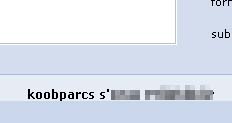
Effect of using a mirroring character on orkut with the profile name is shown below:

Note that the word "scrapbook" is inversed. There is more of it left for you to explore and find out ...
Mirroring character also works on some Instant Messengers like Google Talk and Yahoo! Messenger, on which you can send reversed sentences very easily, making a feeling that you can type reversed.


See for yourself


If your are using a browser such as Firefox which renders the unicode mirroring character the following text(in the gray box) will appear reversed:

‮‮
The unicode mirroring character was used to
reverse this text. If it still appears normal
then, your browser does not render mirroring
character or worse do not support UNICODE!
If you are seeing this normally then there
is no point in continuing. Get a browser like firefox that
supports unicode.


Want the mirroring character?


The mirroring character cannot be seen and I couldnot find the HEX or Numeric Code. If anyone has found out leave a comment.
The mirroring character is within these braces
(‮‮( 

Inorder to get the mirroring character, try copying the content between the braces and paste it somewhere to see the magic! ...

What can it be used for?


‮‮http://www.mysite.com/fol/file.html?site/moc.elgoog.www://ptth
Suppose you paste a link like this and if someone clicks he/she goes to mysite.com instead of google.com. This could be used on sites like orkut.com which doesn't allow you to hide the url of the link you are giving.
So it could be potentially used for phishing !Inorder to protect yourself from such methods always look at the url beofre you give away senstitive information about yourself.
Other potential uses are left for you to explore. If you find anything interesting please let me know..

Guess you can take care of it from here on ...
Thats all folks.

Thanks to
Vineeth Mohan for giving me the mirroring character.

Caution!
This trick can potentially be used for phishing! So please always look at the Address Bar for the URL of the page and verify it is the right site you want to visit! Please warn everyone you know about this risk.